


RapidCellFix
A doorstep repair service, not a shop — technicians travel to the customer. That single fact drove the architecture: routing a technician to the right address with the right parts already in their van, and giving the office real-time visibility into every job.
- Client
- RapidCellFix
- Industry
- Consumer electronics repair / field service
- Platform
- Web app — customer booking, technician field app, admin back office
- Languages
- PHP, TypeScript, SCSS, SQL
Tech Stack
The Project
RapidCellFix isn't a repair shop — it's a repair service that comes to the customer. A normal e-commerce "book and pay" flow wasn't enough, because the hard part isn't taking the order. It's routing a technician to the right address with the right parts already in their van, then giving the office real-time visibility into where every technician is and what job they're on.
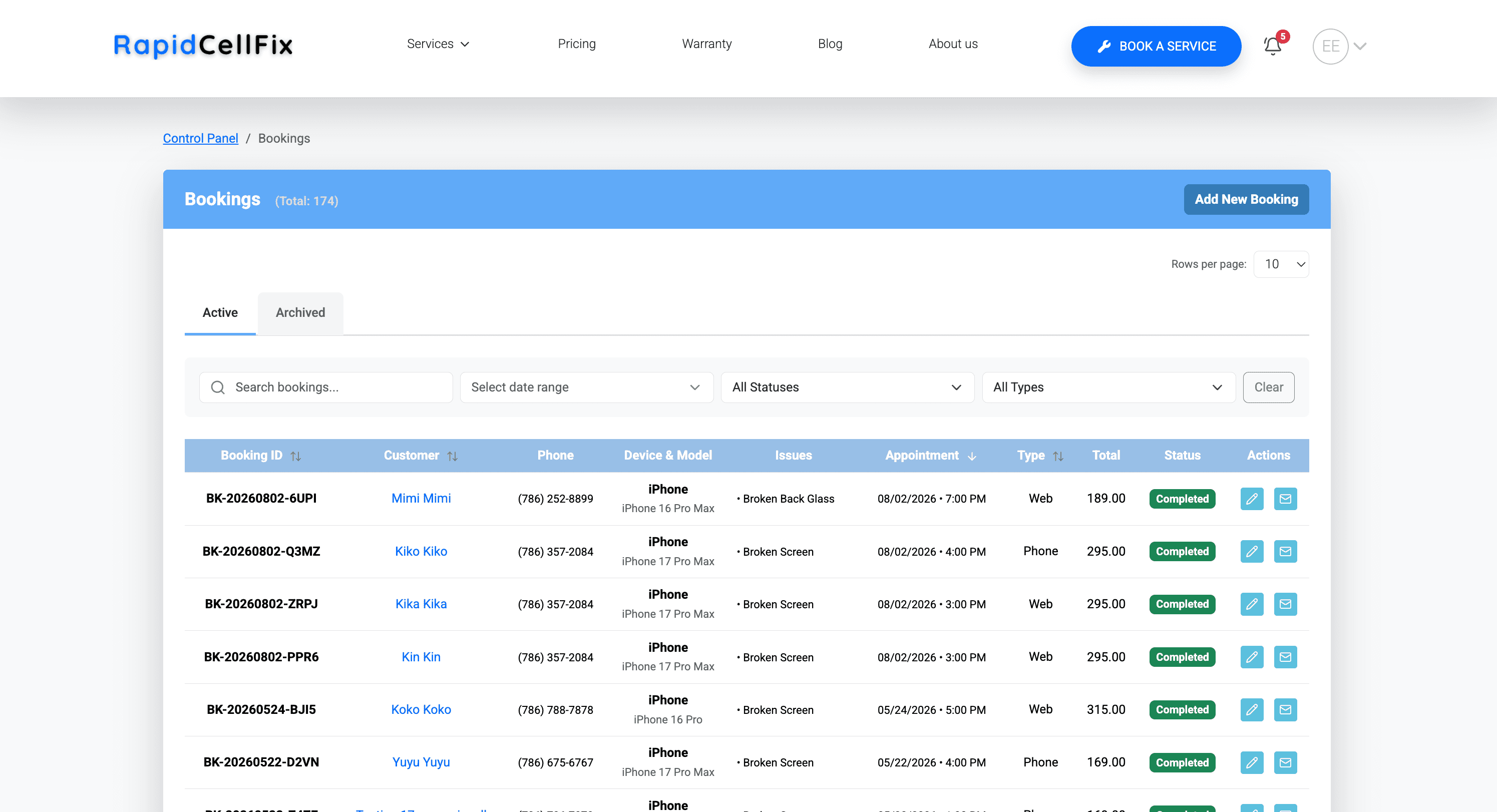
The client needed three groups served by one system: customers booking a repair for their exact device and screen quality at their address in a time window; technicians working a mobile-friendly queue of assigned jobs they can accept, mark en route and arrived, log parts against, take payment on, and complete — from their phone, in the field; and admin/dispatch watching a live map of technician locations, reassigning jobs, and handling inventory, purchase orders, and invoicing.
I chose Laravel with a React SPA — not Inertia, not a separately hosted frontend — so the whole thing ships as one deployable unit with one auth session. Sanctum cookie auth is shared between the customer booking flow and the technician/admin consoles, with spatie/laravel-permission gating what each role sees. Live technician location and job-status updates run over Laravel Reverb (self-hosted WebSockets) rather than polling, which matters when dispatch is watching a map. Inventory became its own subsystem: parts are tracked per location — main shop and each technician's van — and completing a job auto-deducts what was used. Otherwise the office has no idea a van is low on iPhone screens until a technician is stuck mid-job.
Deliverables
What I Built
Doorstep Booking Flow
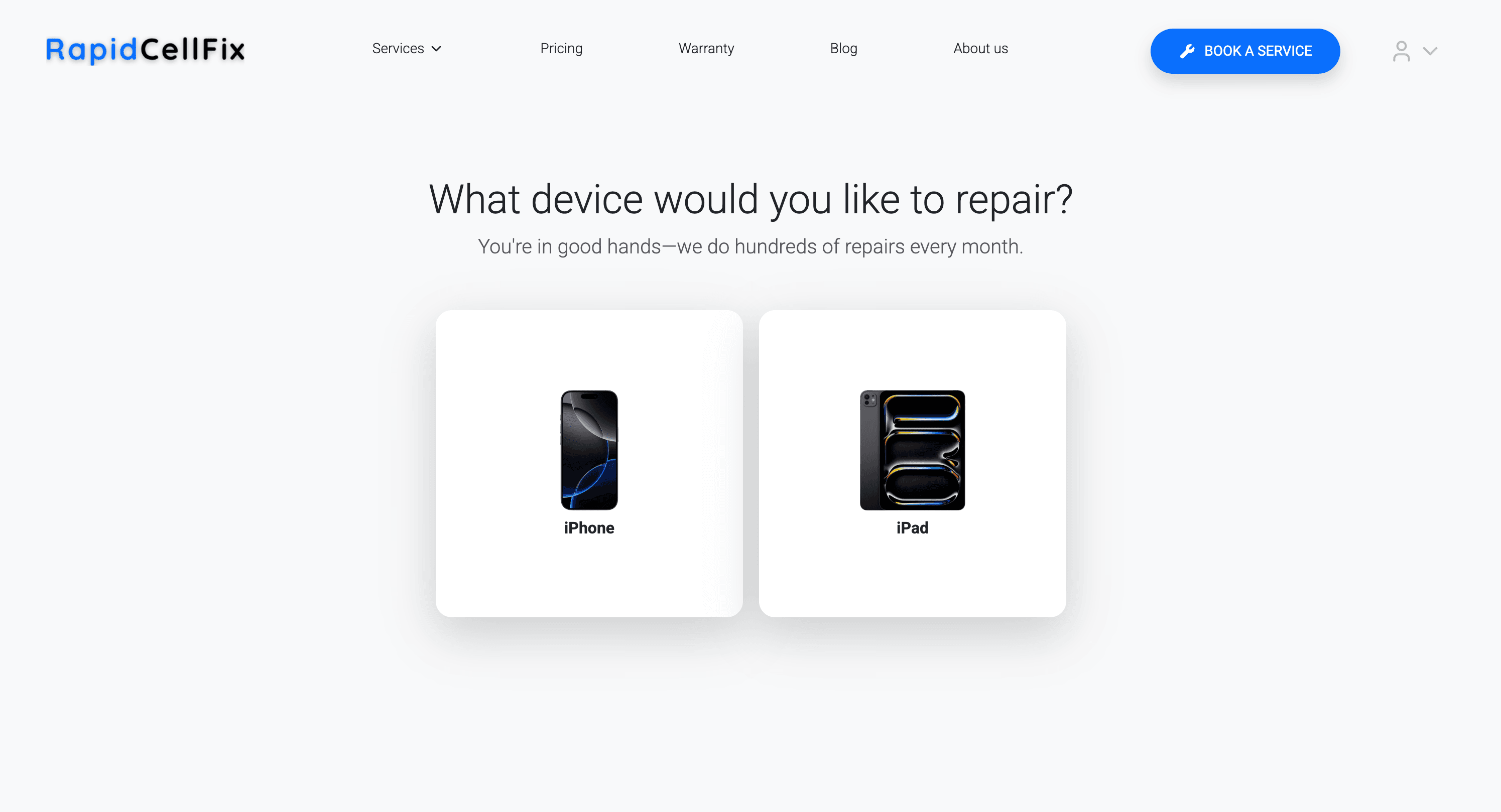
Customer picks device, model, screen quality, issue, address, and time slot. The address is distance-verified against the service area before the booking confirms, so the shop never dispatches outside range.
Real-Time Dispatch Map
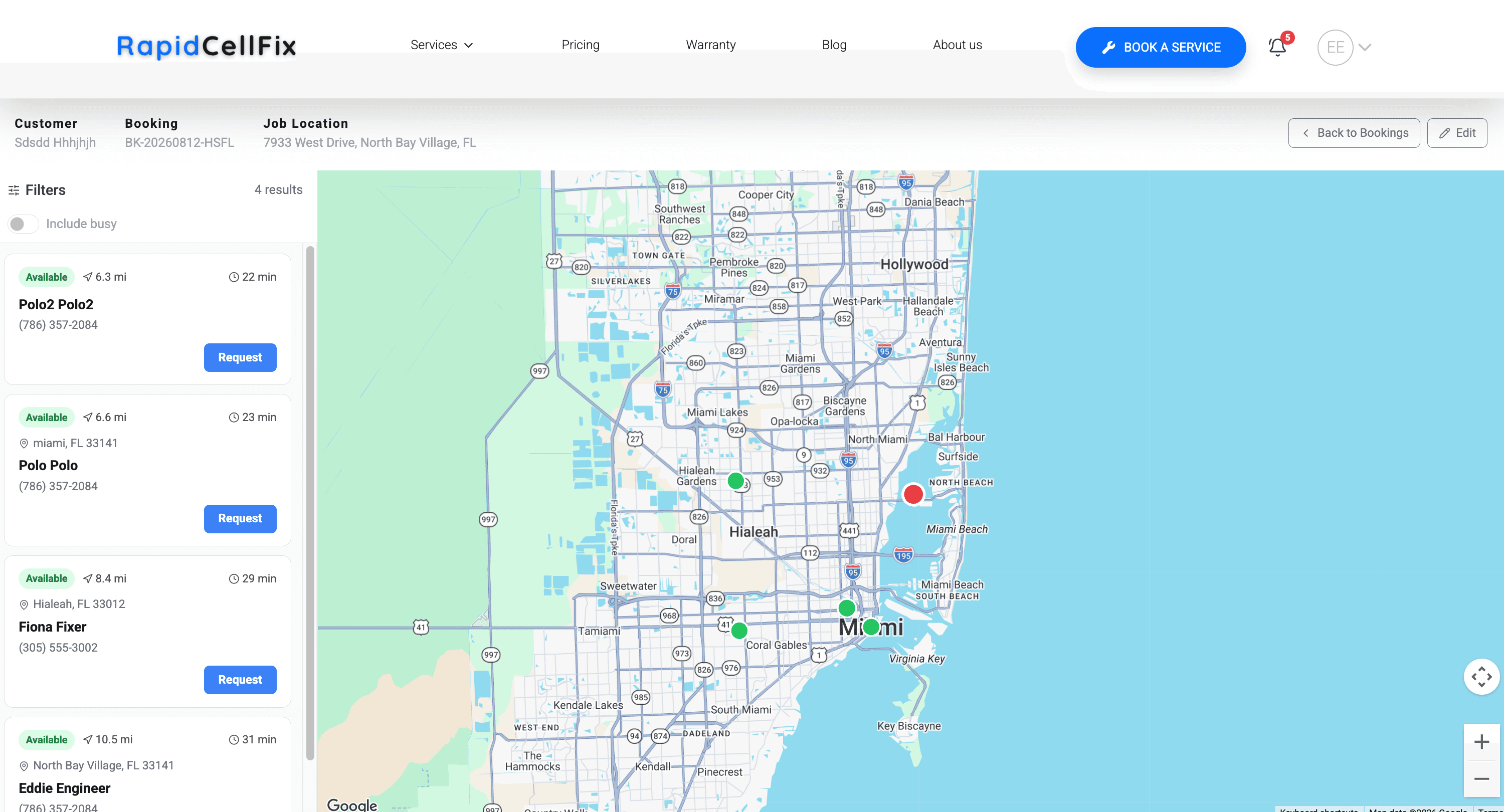
Admin view showing live technician GPS pins over Google Maps with WebSocket location updates, ranked by distance and ETA from the job, with one-click assignment and reassignment.
Technician Field App
Mobile-optimized job queue with accept/decline, en-route/arrived/complete transitions, on-the-spot line-item add-ons, payment recording, job notes, and photo uploads per job.
Multi-Location Inventory
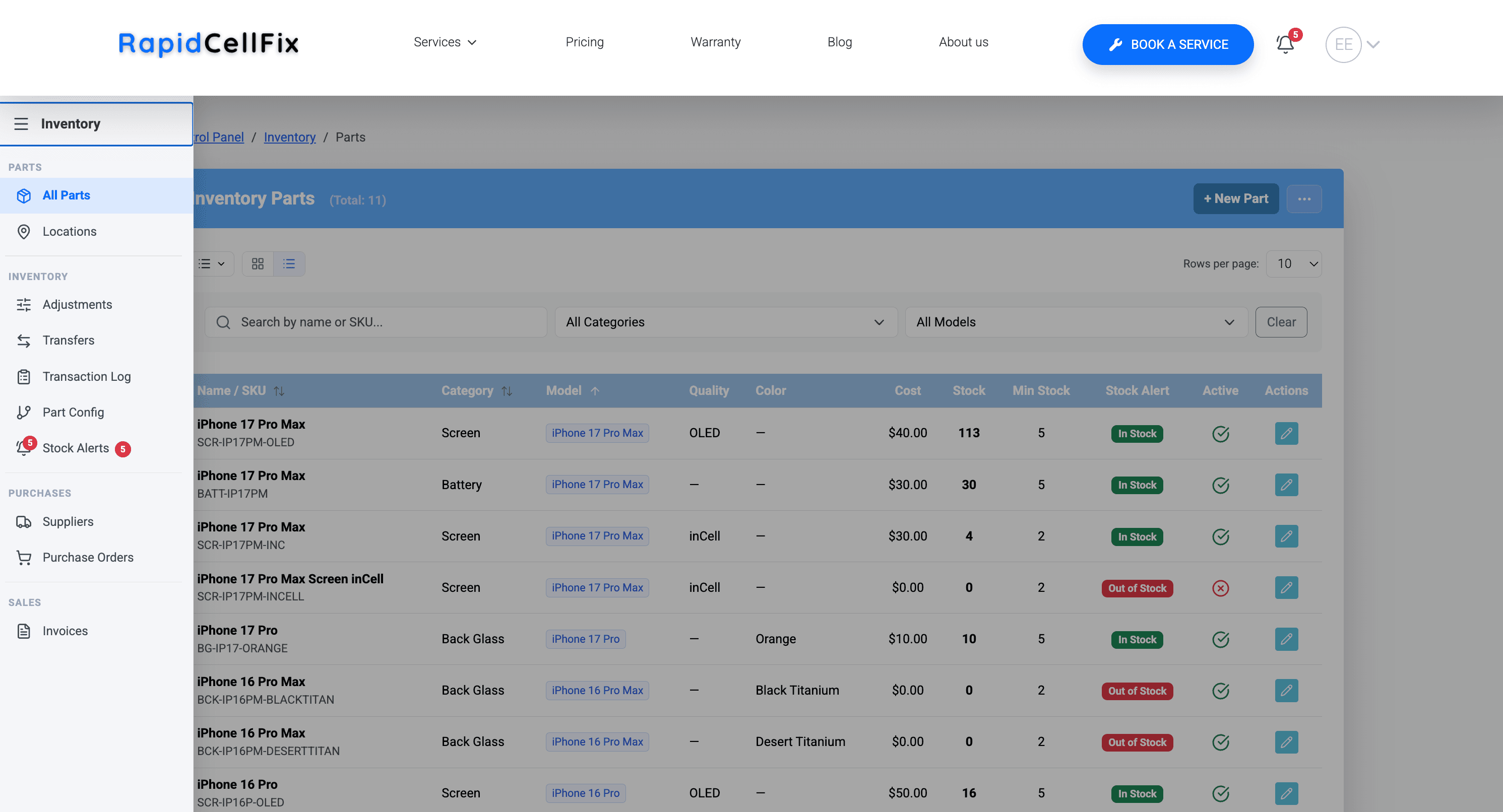
Parts tracked across the main shop and every technician's van, with low-stock alerts, part-to-issue mapping, purchase orders with a receiving and correction workflow, and automatic deduction on job completion.
Invoicing & Notifications
PDF invoice generation with a send/mark-sent/mark-paid workflow, plus automated email (Mailgun) and SMS (Twilio) at booking confirmation, technician dispatch, and post-repair review requests.
SEO-Driven Marketing Site
Server-rendered meta tags per city and device landing page, plus blog, pricing, FAQ, and warranty pages served from the same Laravel app, so Google indexes real content ahead of the SPA hydrating.
In Production
Screenshots
Results
Business Impact
Dispatch Coordination Replaced
Assigning technicians and tracking their location moved off phone and text onto a single live map that ranks available technicians by real distance and ETA from the job.
Van Stock-Outs Prevented
Auto-deducting inventory on job completion, tracked separately per van, gives the office visibility into parts before a technician arrives at a customer's door without the part they need.
Fewer Missed & Out-of-Range Jobs
Automated SMS and email at booking and dispatch, plus address-distance verification at booking time, cut down on jobs booked outside the service area or forgotten by the customer.